Versions and history
Every turn writes a version: an immutable directory with the design, the board data, every fab file, the 3D models and a standalone viewer. Versions are numbered v001, v002, … per project and are never modified or deleted by the app; going back is a matter of pointing at an older one.
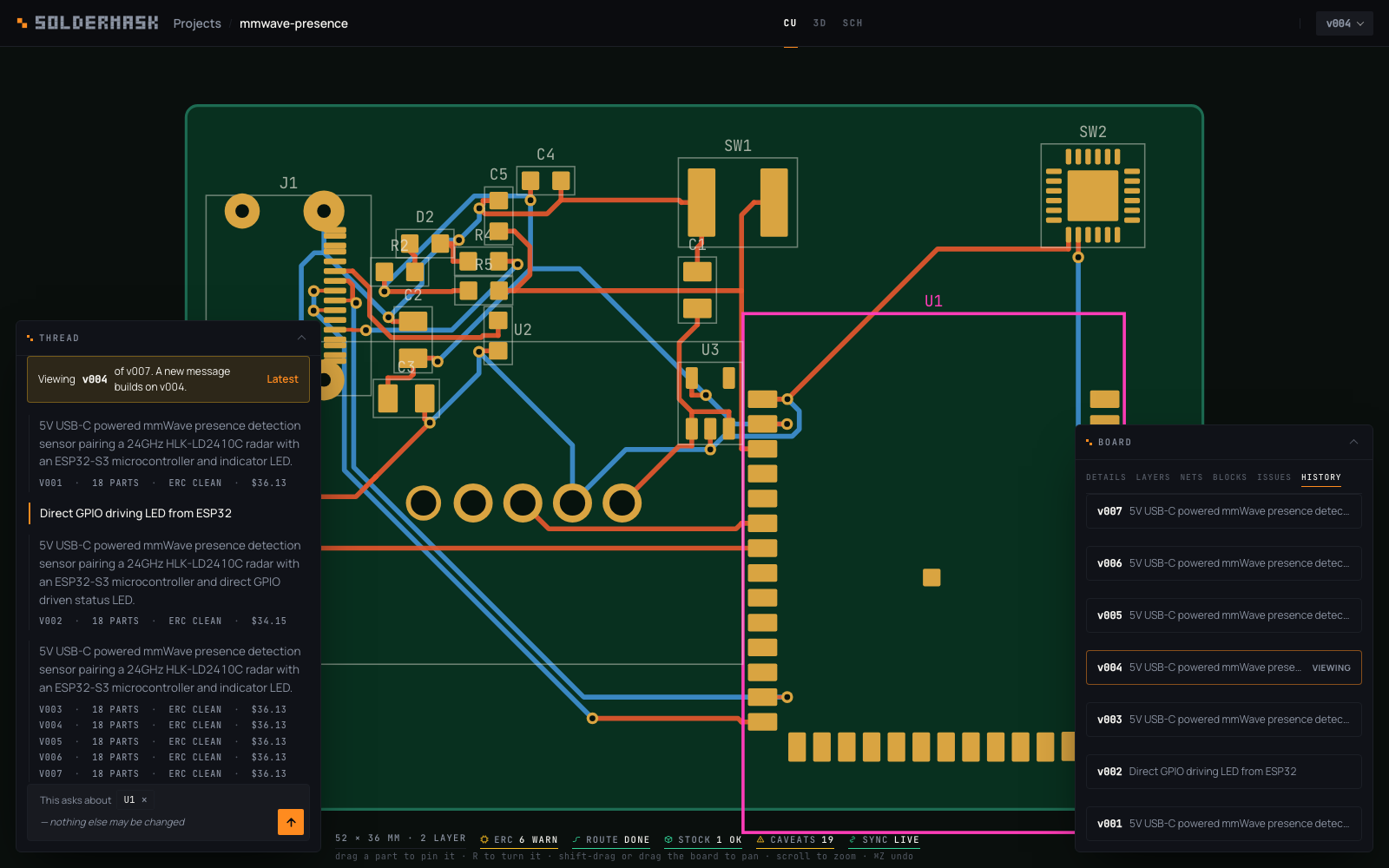
History tab
Newest first. Each row shows the version id, its label if any, the prompt (or the summary when the version was imported), an ERC error badge, and viewing on the one on screen. Expanding a row shows:
- When, parts, gaps, cost, parent, app version — including which soldermask version built it (
app 0.1.0), because a board built by an older pipeline is not the same artefact as one built today. - Summary and notes — the model's summary, and any notes you added.
- Changes vs. parent — parts added, removed and changed (with which fields), nets added, removed and changed (which pins gained or lost), and board name or size changes. A version with no parent says so.
- Files —
gerbers.zip,standalone.html, and every file in the version directory. See Exports and files.
Above the versions, a Project row: Export project (.zip), the whole project as one download, and Import a file into this project…, which builds a design.json as the next version or reads a .kicad_pcb as one — the same two files the projects page opens, arriving here as a version of this project rather than a new one. See Exports and files.
- Actions — Open (make this version current and show it), Label (a short name: "sent to fab", "rev B" — it shows on the chip and the projects card), Notes, Fork from here.
What "current" means
A project has one current version: the one the workbench opens by default and the one the next edit builds on. Opening a version from the chip or History makes it current. Nothing is lost by doing so — the versions after it remain in the list, and a new edit from an older version simply gets the next number with parent pointing at the older one. The projects card and soldermask projects show mark the current version.
Diffs
The diff compares the two design.json files, not the model's description of what it did. A component counts as changed when its kind, value, package, search term or purpose differs; a net when its set of pins differs. The same diff is what the reply's changes line is built from, and it is available from the API at /api/projects/<slug>/versions/<vid>/diff?against=<other>.
Forks
A fork is a new project whose v001 is a copy of a chosen version's directory, with parent recording <project>/<version>. Fork when you want to try a different direction without the versions interleaving.
On disk
The whole story is a directory you can read, back up, or copy elsewhere; see Projects on disk.