On your phone
The app is meant to be looked at from a phone while the computer builds. Two things make that work: HTTPS, and the access token.
Why HTTPS on a LAN
The Tilt control orbits the 3D board by moving the phone. That uses DeviceOrientation, which browsers only expose on a secure origin. localhost counts; http://192.168.x.x does not — the page loads and the sensor silently never fires. So soldermask serve generates a self-signed certificate covering this machine's LAN address and serves TLS by default. Your phone warns once about the unknown issuer; accept it (iOS: Show Details → visit this website). --http turns TLS off and with it the tilt control.
Getting in
At startup the server prints a QR code. It encodes https://<lan-ip>:8443/?token=<access token>: scanning it opens the app and logs the phone in — the token is exchanged for a cookie and removed from the address bar. Without the token every device except the machine itself sees the login page. See Access control.
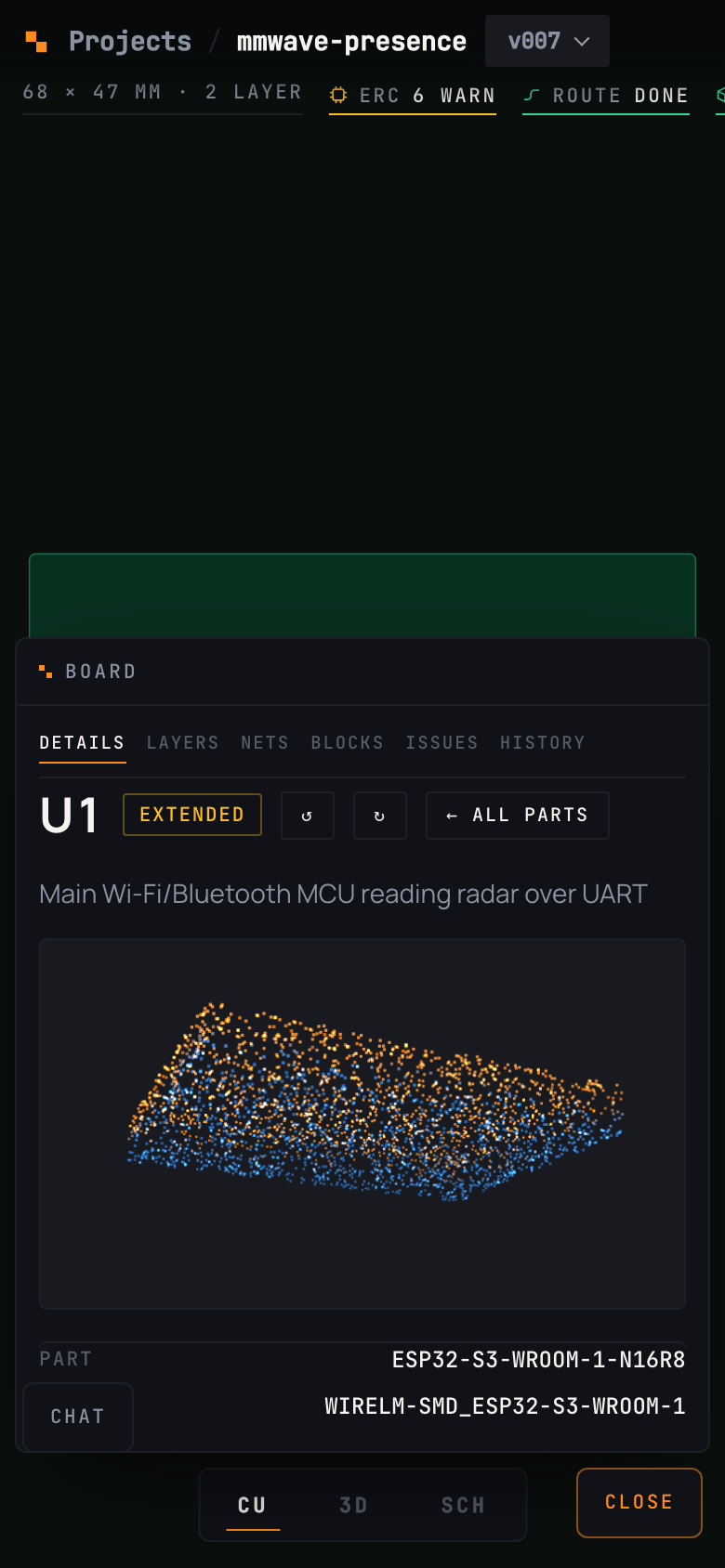 { width="320" }
The phone layout
- The board takes the whole screen. The view switcher floats at thumb height.
- Chat slides up as a full sheet. Details opens a card about the selected part and closes when you deselect.
- Tilt appears on the 3D view only. It reads orientation relative to how you are holding the phone when you switch it on, so any starting angle works.
- Sync — a phone and a desktop looking at the same project share camera, selection, view and quantity. Last write wins; a device ignores the echo of its own moves.
You can add the page to your home screen; it ships a web manifest and an icon.